Blockchain Import - Complete Guide
What is Blockchain Import?
Blockchain Import allows you to monitor cryptocurrency addresses without moving them to BlockPeer wallets. Perfect for:
- Tracking existing wallets you own
- Monitoring hardware wallet addresses
- Watching competitor addresses
- Tracking partner/investor holdings
- Portfolio monitoring
Key Benefits
- ✅ No Private Key Needed - Read-only monitoring
- ✅ Instant Setup - Takes 30 seconds
- ✅ Multiple Blockchains - Monitor Bitcoin, Ethereum, etc.
- ✅ Sync Wallet Transaction - Balance refreshes automatically
- ✅ Integrated with Books - Auto-record in accounting
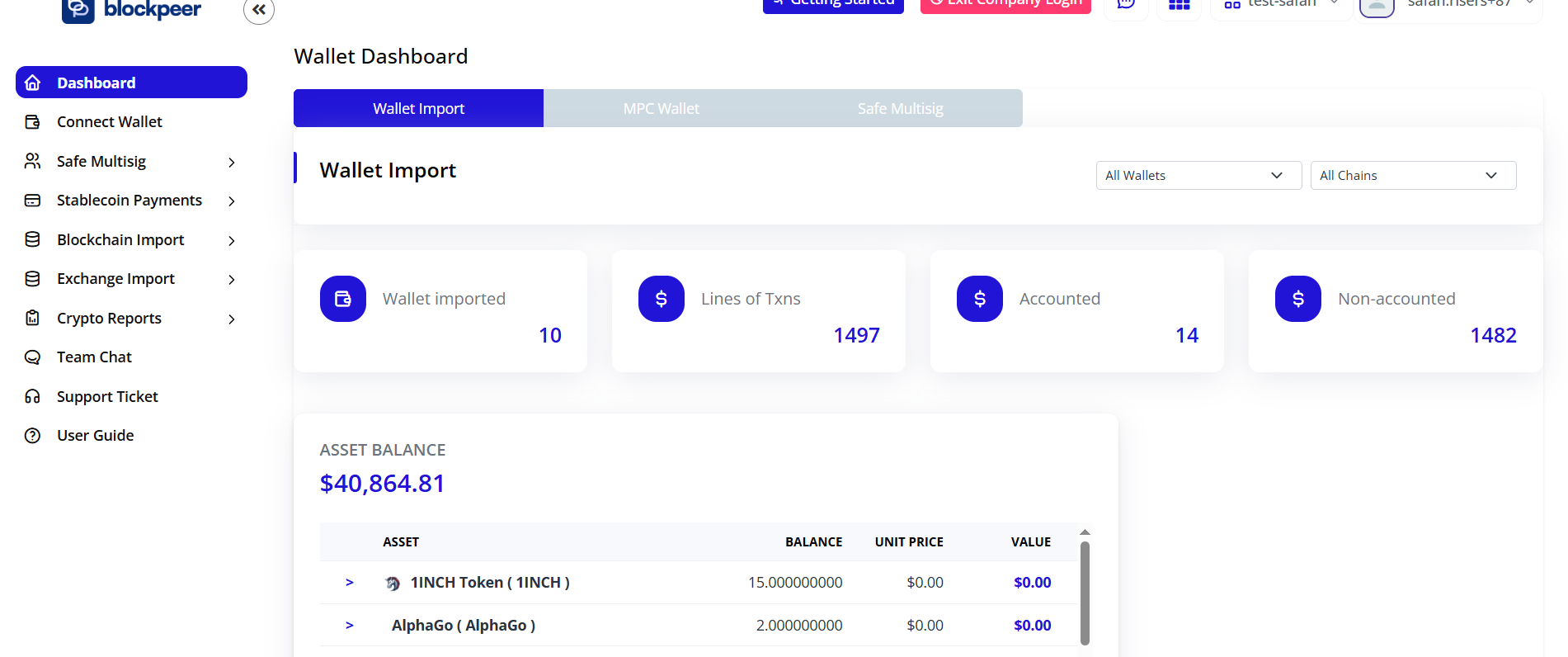
Import Wallet
Enter Wallet Details
Fill in:
-
Wallet Name: What to call it
- Examples: "Hardware Wallet 1", "Partner Holdings", "Bitcoin Reserve"
-
Wallet Address: Enter Wallet Address
- Example: "0x..."
-
Blockchain: Select chain
- Example: "Eth"
-
Select Ledger Account: Select account
- Example: "Checking Account"
Click Import
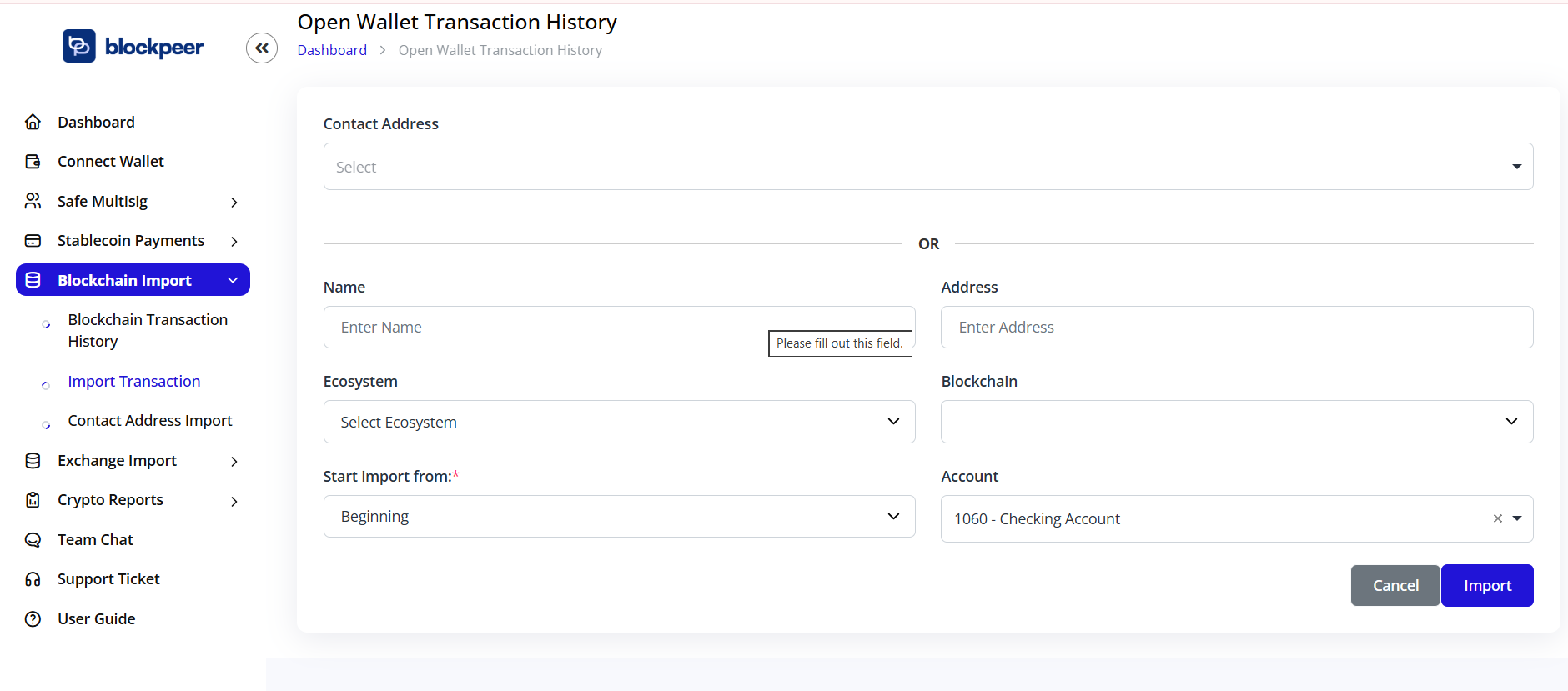
Wallet imported and starts syncing
Step 2: View Wallet
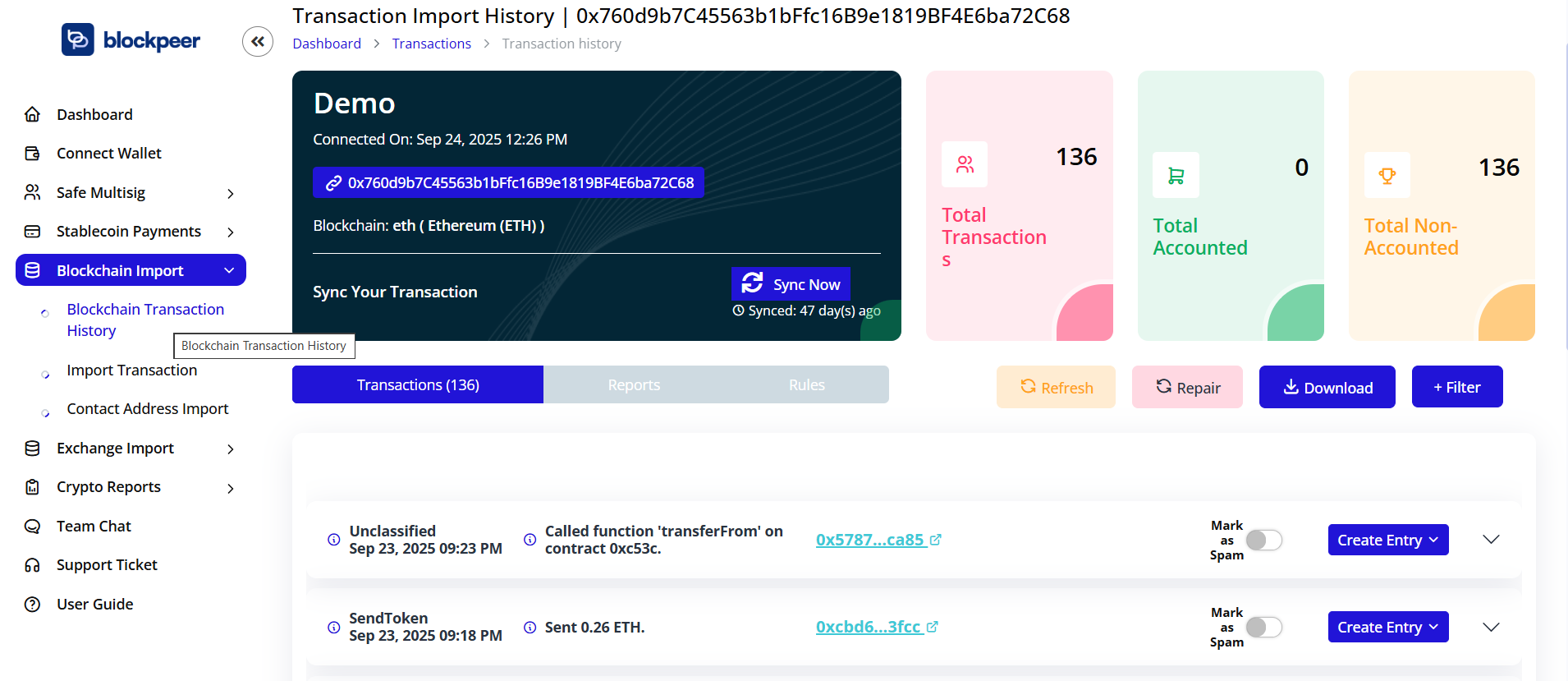
2.1 Wallet Dashboard
Open the watch-only wallet:
- Go to Wallet → Blockchain Import
Overview shows:
- Wallet name
- Address
- Current balance (in crypto and USD)
- Last sync time
- Status: Synced (Read-Only)
2.2 View Balance
See holdings by coin In the Reports tab: