Getting Started
Welcome to easyBL by Blockpeer - your comprehensive solution for issuing and managing IG P&I-approved electronic Bills of Lading that are secure, instant, and fully MLETR-compliant.
What is easyBL?
easyBL enables you to digitize your shipping documentation workflow with blockchain-powered security:
- Issue Standard, FIATA, and BIMCO format electronic Bills of Lading
- Transfer eBLs securely and instantly
- Verify and endorse trade documents
- Maintain full MLETR compliance for international trade
1. Initial Setup
Before you start creating electronic Bills of Lading, you need to complete the initial configuration.
Step 1: Access the easyBL Dashboard
- Log in to your BlockPeer account
- From the module selection screen, click on easyBL
- You'll be taken to the easyBL dashboard
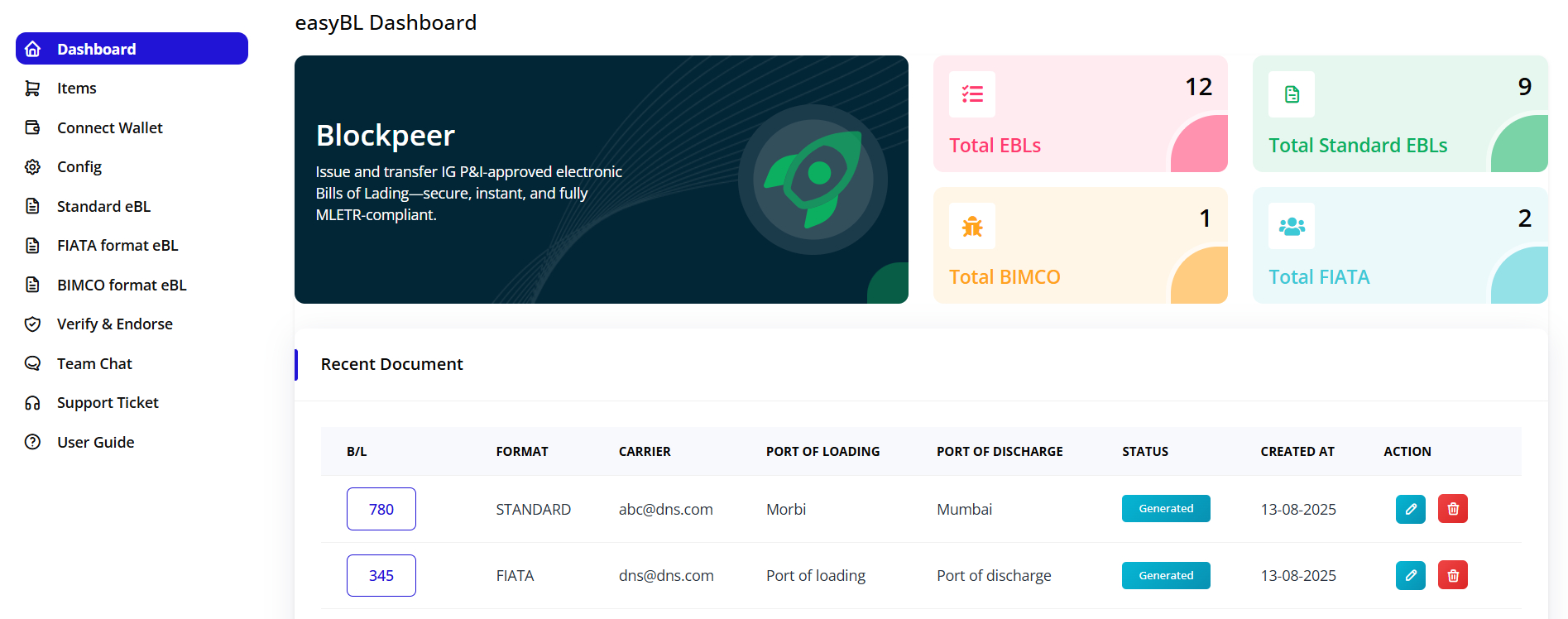
Step 2: Understanding the Dashboard
The easyBL dashboard provides a comprehensive overview of your electronic Bills of Lading activity.
Dashboard Metrics
The top section displays key statistics in color-coded cards:
- Total EBLs (12): Total number of electronic Bills of Lading created
- Total Standard EBLs (9): Number of Standard format eBLs
- Total BIMCO (1): Number of BIMCO format eBLs
- Total FIATA (2): Number of FIATA format eBLs
Recent Documents Table
The dashboard displays your recent eBL documents with the following information:
- B/L: Bill of Lading number
- FORMAT: Type of eBL (STANDARD, FIATA, or BIMCO)
- CARRIER: Shipping carrier email
- PORT OF LOADING: Origin port
- PORT OF DISCHARGE: Destination port
- STATUS: Current document status (Generated, In Transit, etc.)
- CREATED AT: Date of creation
- ACTION: Edit and delete options
3. Next Steps
Before creating your first eBL, you must complete the configuration process:
- Connect your wallet - Required for blockchain operations
- Create token registry - Essential for issuing eBLs
- Configure DNS records - Necessary for domain verification
✅ Next: Proceed to the Configuration section to set up your token registry and DNS records.