Getting Started
Initial Setup
Step 1: Access CLIQ Trade Finance
- Log in to your BlockPeer account
- From the module selection screen, click on CLIQ Trade Finance
- You'll be taken to the CLIQ dashboard
Step 2: Understanding the Dashboard
!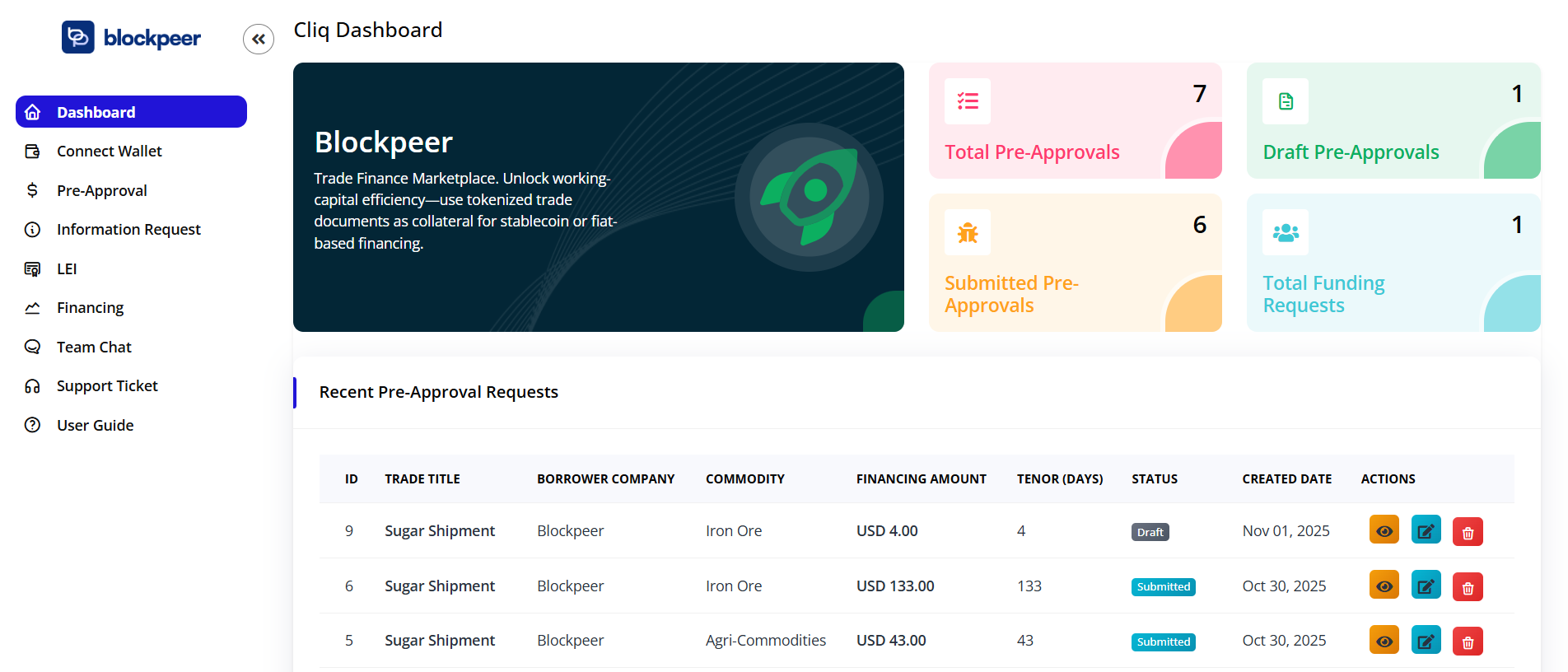
The CLIQ dashboard provides a comprehensive overview of your trade finance activities:
- Pre-Approval Requests: View and manage trade finance pre-approval submissions
- Information Requests: Track investor inquiries and document sharing
- LEI: To check Company Legal Entity Identifier
- Financing: Monitor active financing requests and settlements
Step 3: Company Profile Setup
Before initiating any trade finance requests, ensure your company profile is complete:
- Click your Avatar (top-right)
- Navigate to Organization Settings
- Complete required information:
- Company legal name and registration details
- LEI (Legal Entity Identifier) if available
- Business address and contact information
- Banking details and preferred currency
- Click Save Profile
Quick Start Guide
For Companies (Requesting Finance)
- Submit Pre-Approval: Create a trade finance pre-approval request with basic trade details
- Respond to Information Requests: Share additional documentation when investors express interest
- Create LEI Financing Request: Submit formal financing request once pre-approved
- Negotiate Terms: Communicate with investors on ROI and settlement terms
- Finalize Agreement: Complete the financing agreement and receive funds
For Investors
- Browse Opportunities: Review pre-approval requests on the dashboard
- Request Information: Express interest and request additional documentation
- Submit ROI Proposal: Update financing terms with your proposed ROI
- Communicate: Discuss terms directly with companies
- Approve Financing: Finalize and fund approved trade finance requests
Navigation Overview
- Dashboard: Central hub for all trade finance activities
- Pre-Approval: Manage trade finance pre-approval requests
- Information Requests: Handle document sharing and investor inquiries
- LEI Financing: Create and manage financing requests and settlements
Best Practices
- Complete your profile thoroughly before submitting requests
- Respond promptly to information requests to maintain investor interest
- Keep all trade documentation organized and readily available
- Communicate clearly with investors during negotiation
- Review all terms carefully before finalizing agreements
Troubleshooting
Q: I can't access the CLIQ module A: Ensure you have the necessary permissions. Contact your administrator to grant CLIQ module access.
Q: My verification is taking longer than expected A: Verification typically takes 24-48 hours. If delayed, contact support with your reference number.
Q: How do I know if an investor is interested? A: You'll receive an information request notification when an investor wants to learn more about your trade finance opportunity.
Q: Can I edit my pre-approval request after submission? A: Pre-approval requests can be edited before investor engagement. Once information requests are received, contact the investor to discuss modifications.