Safe Multisig
Safe Multisig provides enterprise-grade security for managing crypto assets through multi-signature wallets.
Creating a New Safe
Prerequisites
- Connected wallet with Web3Auth
- At least one signer wallet
Steps to Create
-
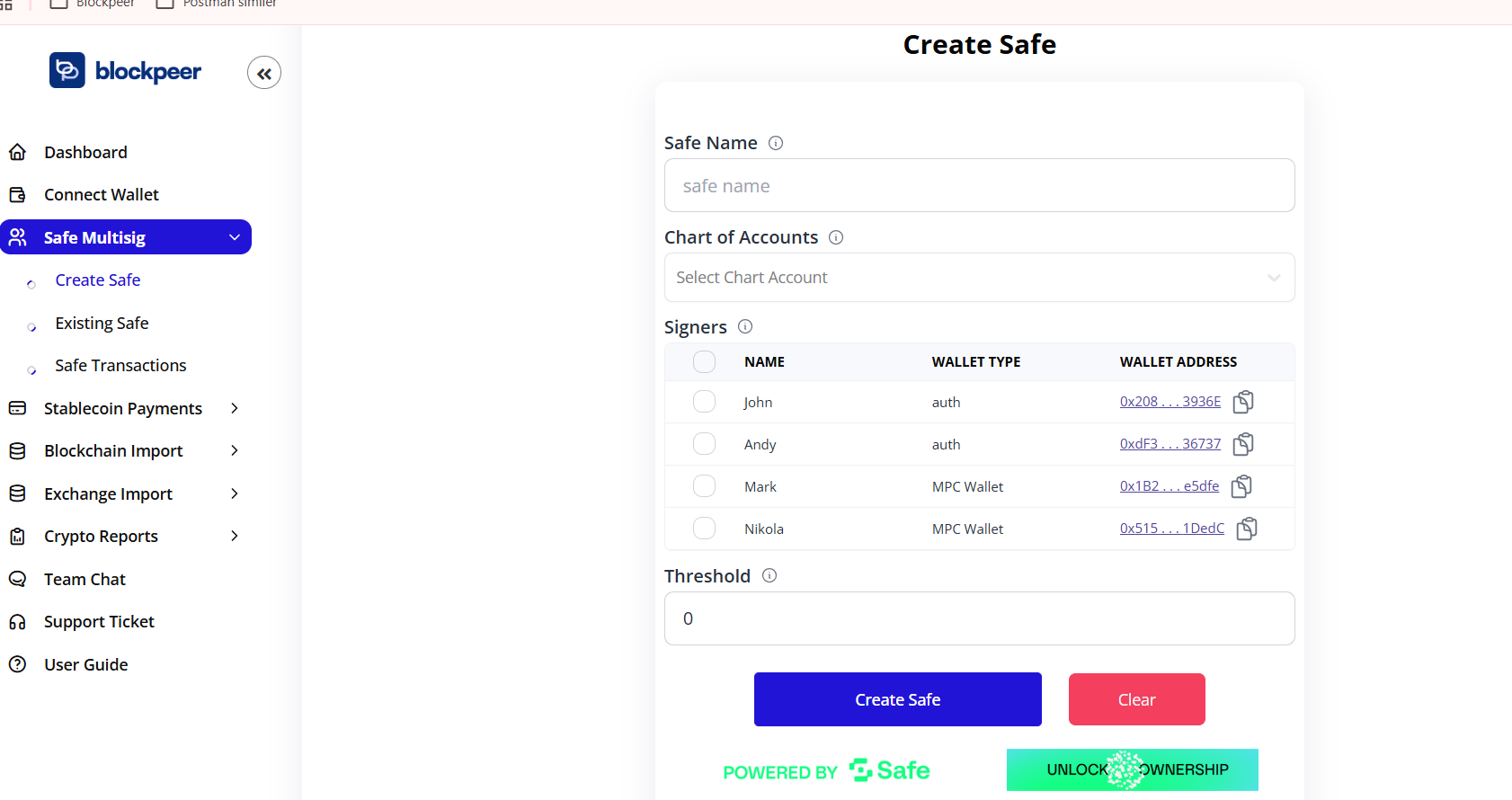
Navigate to Safe Multisig > Create Safe from the sidebar
-
Fill in the required information:
- Safe Name: Enter a descriptive name for your safe
- Chart of Accounts: Select the accounting category
- Signers: Add wallet addresses that will authorize transactions
- Name
- Wallet Type (auth/MPC Wallet)
- Wallet Address
- Threshold: Set the minimum number of signatures required (default: 0)
-
Click Create Safe to deploy your multisig wallet
Signer Configuration
You can add multiple signers with different wallet types:
- Auth Wallets: Standard authentication wallets
- MPC Wallets: Multi-Party Computation wallets for enhanced security
Managing Existing Safes
Viewing Your Safes

Navigate to Safe Multisig > Existing Safe to see all your deployed safes.
The table displays:
- ID: Unique identifier
- Safe Name: Descriptive name
- Address: Safe contract address
- Safe Details: Configuration information
- Chain: Blockchain network
- Balances: Current token holdings
- Actions: Management options
Safe Status
Safes show "Showing 1 to 5 of 0 items" when no safes are deployed yet.
Safe Transactions
Pending Transactions
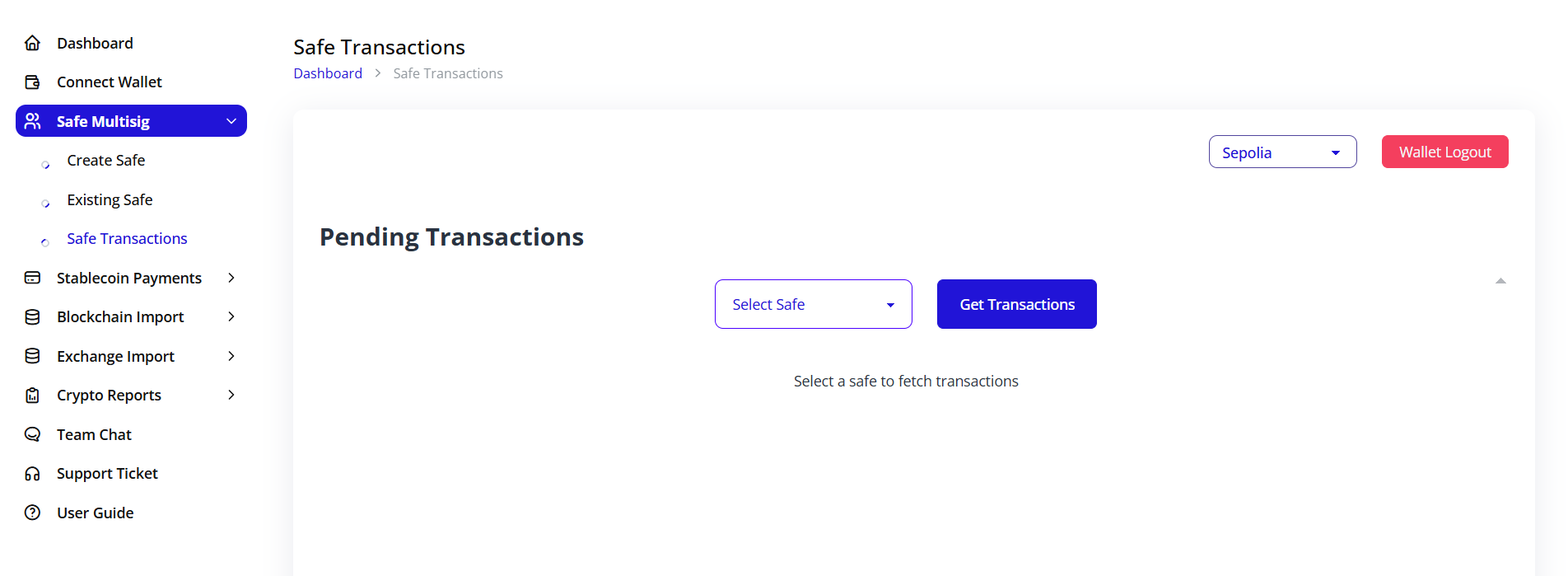
View and manage transactions awaiting approval:
- Go to Safe Multisig > Safe Transactions
- Select a safe from the dropdown
- Click Get Transactions to fetch pending approvals
Transaction Workflow
Transactions will appear here once initiated, showing:
- Transaction details
- Current approval status
- Required signatures
- Execution status