Stablecoin Payments
Streamline your business payments with stablecoin transfers.
Vendor Payments
Making a Payment

-
Navigate to Stablecoin Payments > Vendor Payment
-
Fill in the payment details:
- Supplier Name: Select from dropdown
- Total Amount: Enter the invoice amount
- Exchange Rate: Set the conversion rate
- Payment Token: Choose the stablecoin (USDC, USDT, etc.)
- Total Payable Amount: Automatically calculated
- Supplier ETH Address: Recipient's wallet address
- Select Safe: Choose which multisig safe to pay from
-
Click Review & Pay to initiate the transaction
-
Use Clear to reset the form
Payment Flow
- Select supplier from your vendor list
- System calculates total payable amount based on exchange rate
- Choose payment token (stablecoin)
- Select appropriate Safe for payment
- Review and confirm transaction
- Transaction submitted to Safe for approval
Payroll Payments
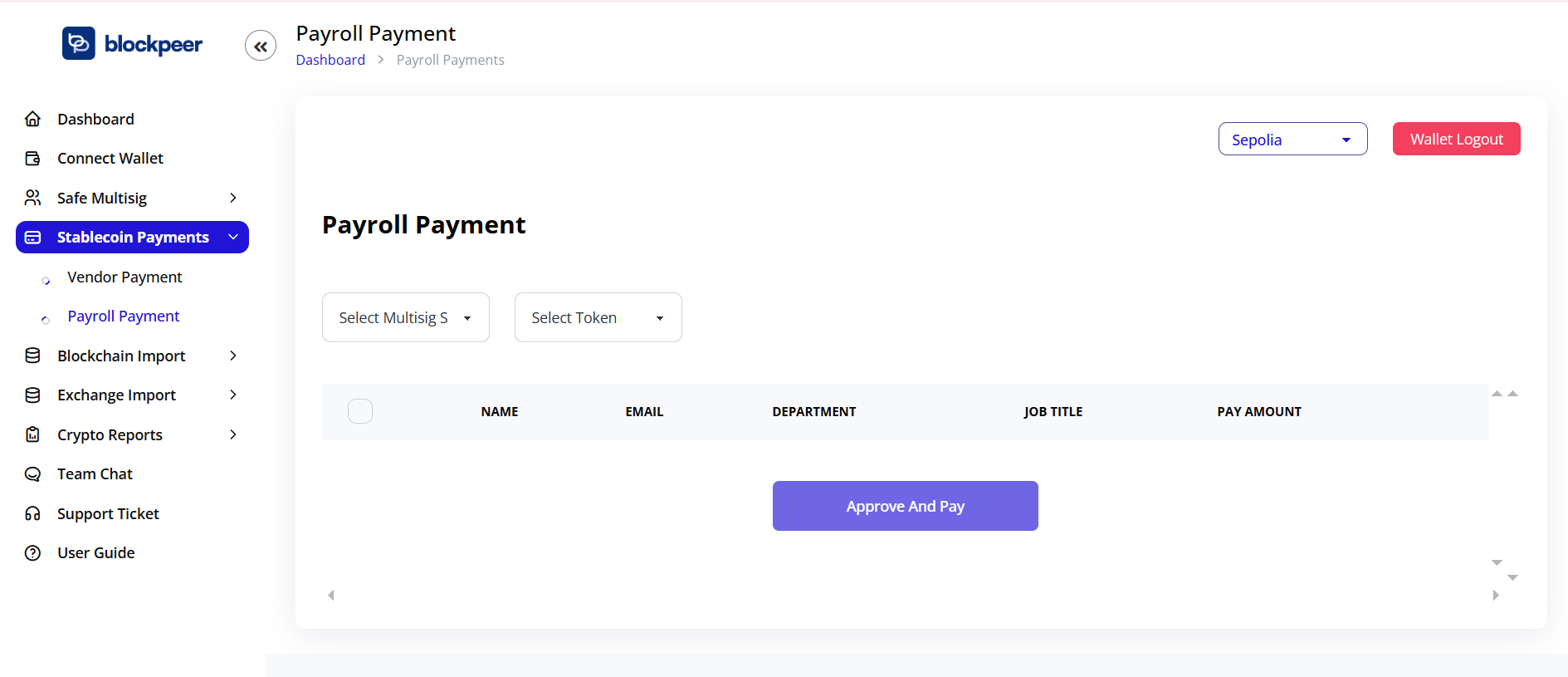
Bulk Payroll Processing
-
Go to Stablecoin Payments > Payroll Payment
-
Select configuration:
- Select Multisig Safe: Choose the safe to pay from
- Select Token: Pick the payment token
-
Review employee list with columns:
- Name
- Department
- Job Title
- Pay Amount
-
Click Approve And Pay to process all payments
Payroll Features
- Batch processing for multiple employees
- Department-based organization
- Automatic distribution from Safe
- Audit trail for compliance