Crypto Reports
Generate comprehensive accounting reports for cryptocurrency transactions.
Historical Reports
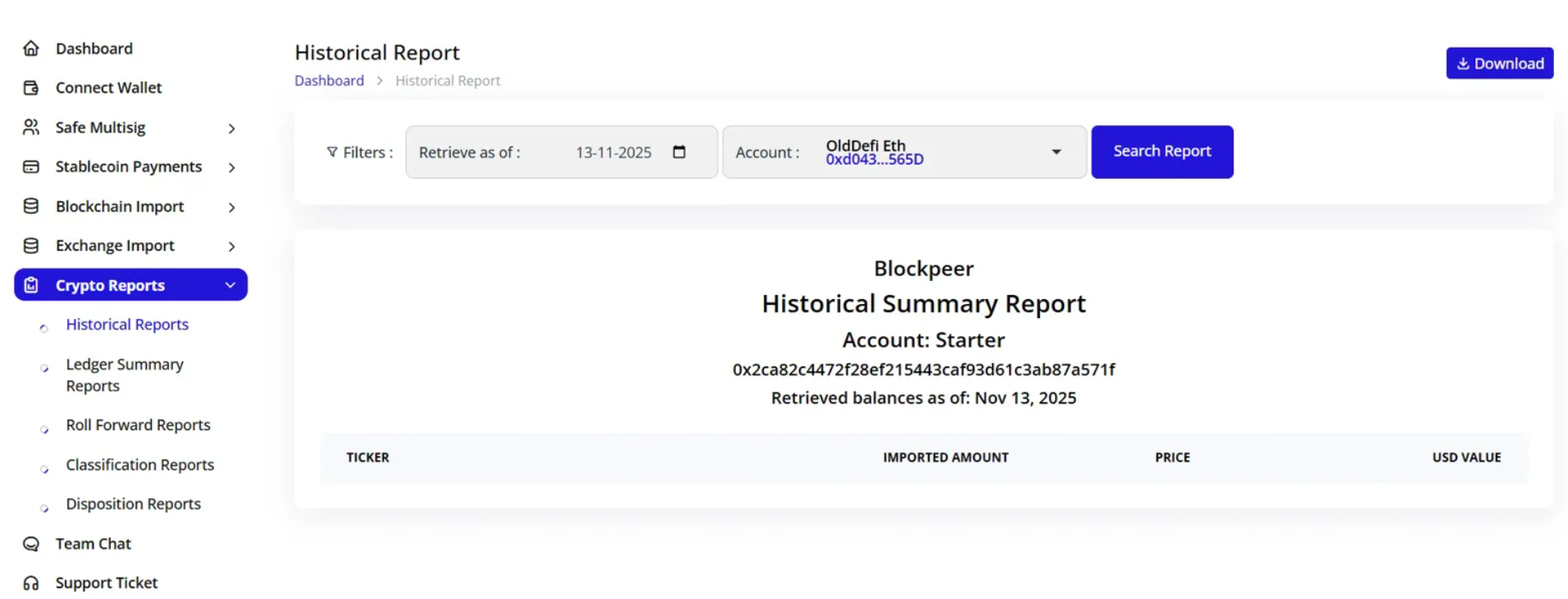
Generating Reports
- Navigate to Crypto Reports > Historical Reports
- Set report parameters:
- Retrieve as of: Select date
- Account: Choose wallet/account
- Click Search Report
Report Contents
Blockpeer Historical Summary Report
Displays:
- Account name and address
- Retrieved balance date
- Token breakdown:
- Ticker symbol
- Imported amount
- Current price
- USD value
Download Options
Click Download button to export reports in various formats.
Ledger Summary Reports
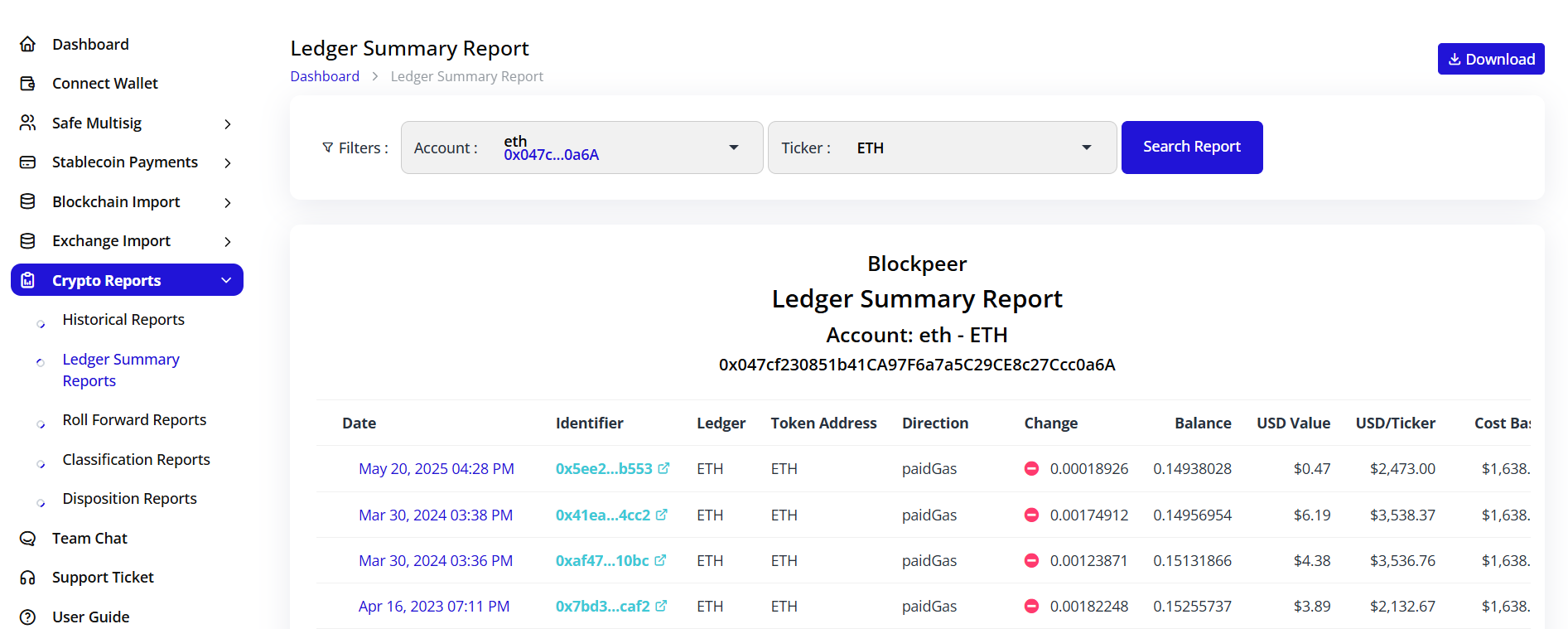
Overview
Detailed transaction ledger for specific tokens:
Report Header:
- Account identifier
- Account address
- Token symbol (e.g., ETH)
Report Columns
- Date: Transaction timestamp
- Identifier: Transaction hash (clickable link to explorer)
- Ledger: Token name
- Token Address: Contract address
- Direction: paidGas, received, sent
- Change: Token amount (+/-)
- Balance: Running balance
- USD Value: Dollar value
- USD/Ticker: Price per token
- Cost Basis: Acquisition cost
Features
- Transaction-level detail
- Running balance calculation
- Cost basis tracking
- Direct blockchain explorer links
- Historical price data
Roll Forward Reports
Purpose
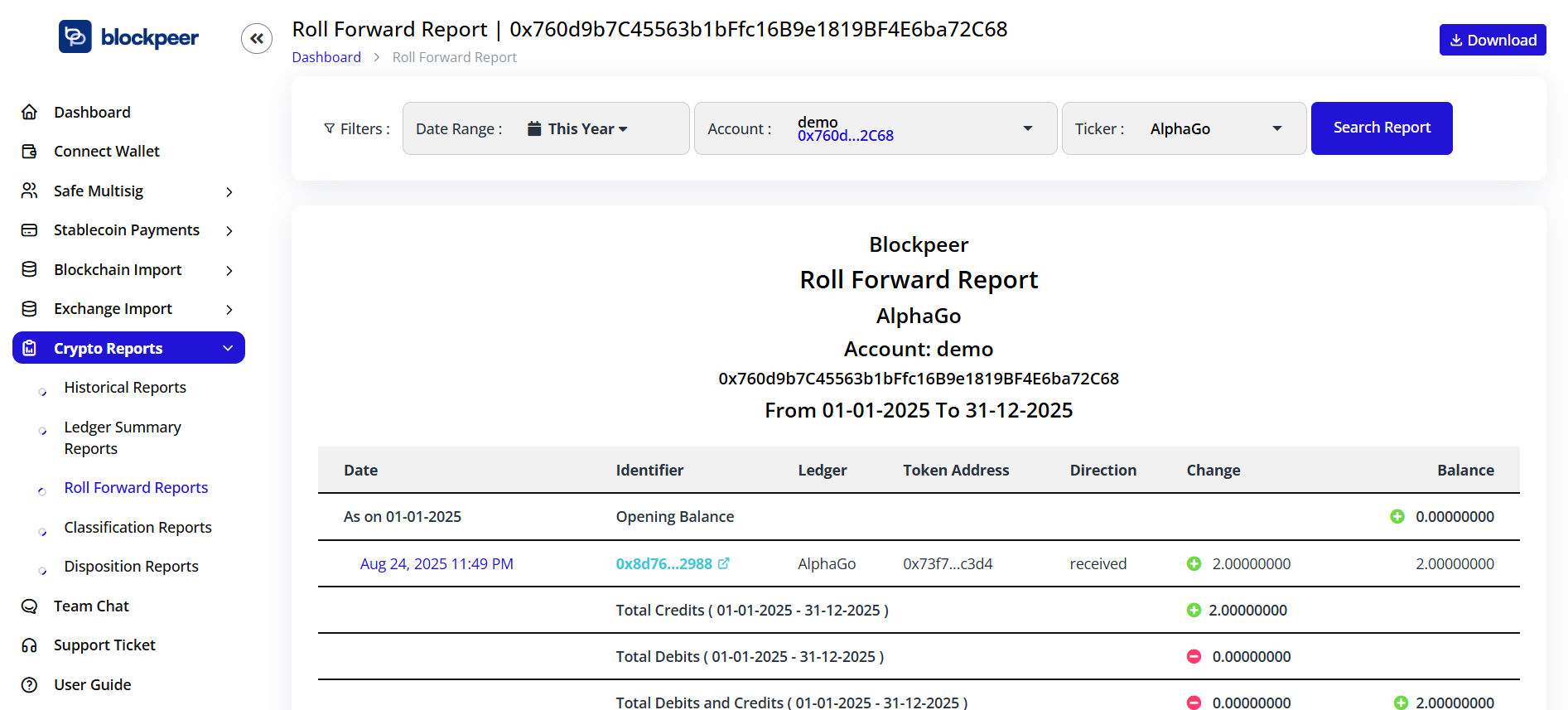
Track token balance changes over time periods.
Report Structure
Blockpeer Roll Forward Report
Filters:
- Date Range: This Year (customizable)
- Account: Select wallet
- Ticker: Choose specific token
Report Sections
- Opening Balance: Balance at period start
- Transactions:
- Date and identifier
- Ledger and token address
- Direction (received/sent)
- Change amount
- Running balance
- Total Credits: Sum of incoming tokens
- Total Debits: Sum of outgoing tokens
- Total Debits and Credits: Net change
- Closing Balance: Final period balance
Use Cases
- Period-end reconciliation
- Token movement analysis
- Tax reporting
- Audit preparation
Classification Reports
Purpose
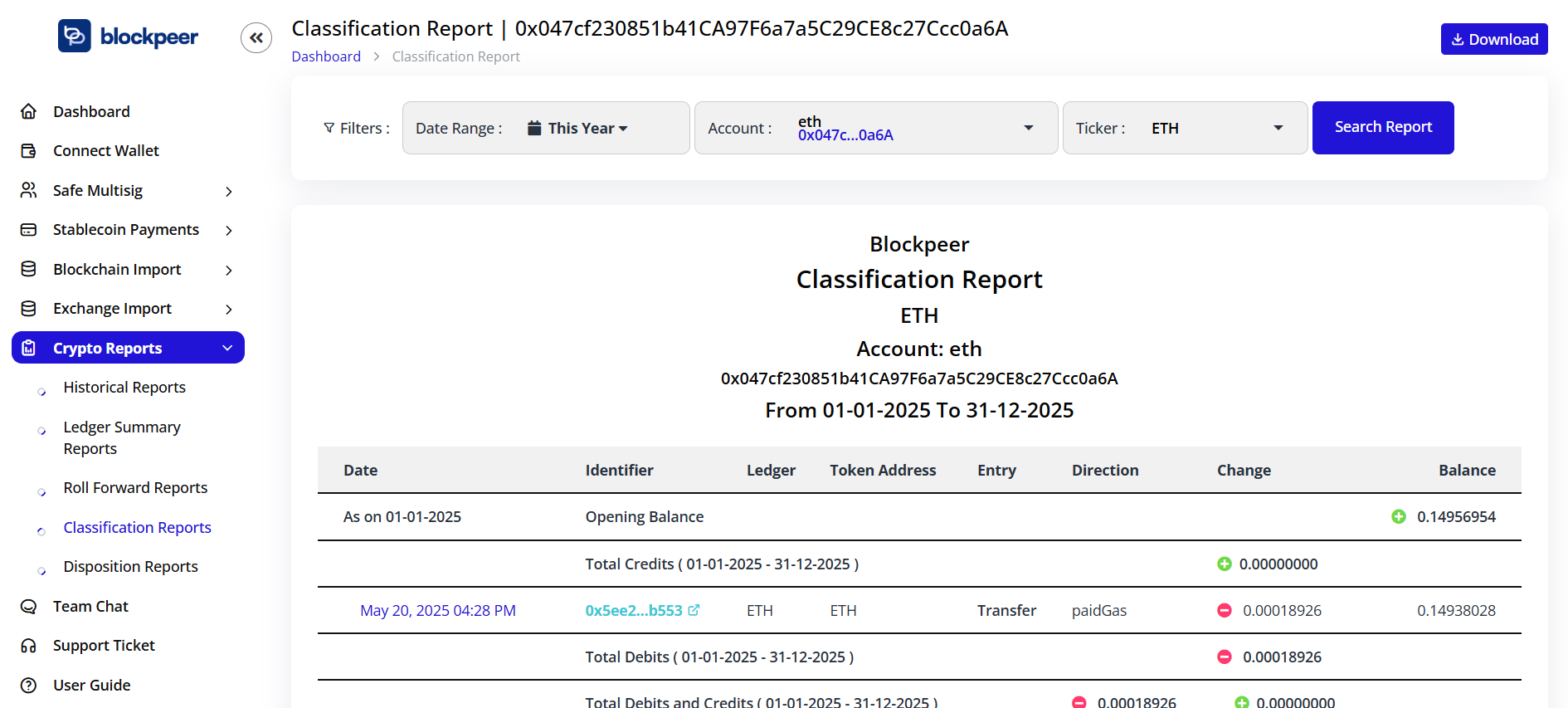
Categorize transactions by type for accounting purposes.
Report Details
Blockpeer Classification Report
Filters:
- Date range selection
- Account filter
- Token ticker filter
Report Contents
- Opening Balance: Starting position
- Transaction Details:
- Date and identifier
- Ledger and token address
- Entry type
- Direction
- Change amount
- Balance after transaction
- Period Totals:
- Total Credits
- Total Debits
- Net change
- Closing Balance
Transaction Classifications
- Transfer: Direct token movements
- paidGas: Network fee payments
- Swap: Token exchanges
- Other: Miscellaneous transactions
Disposition Reports
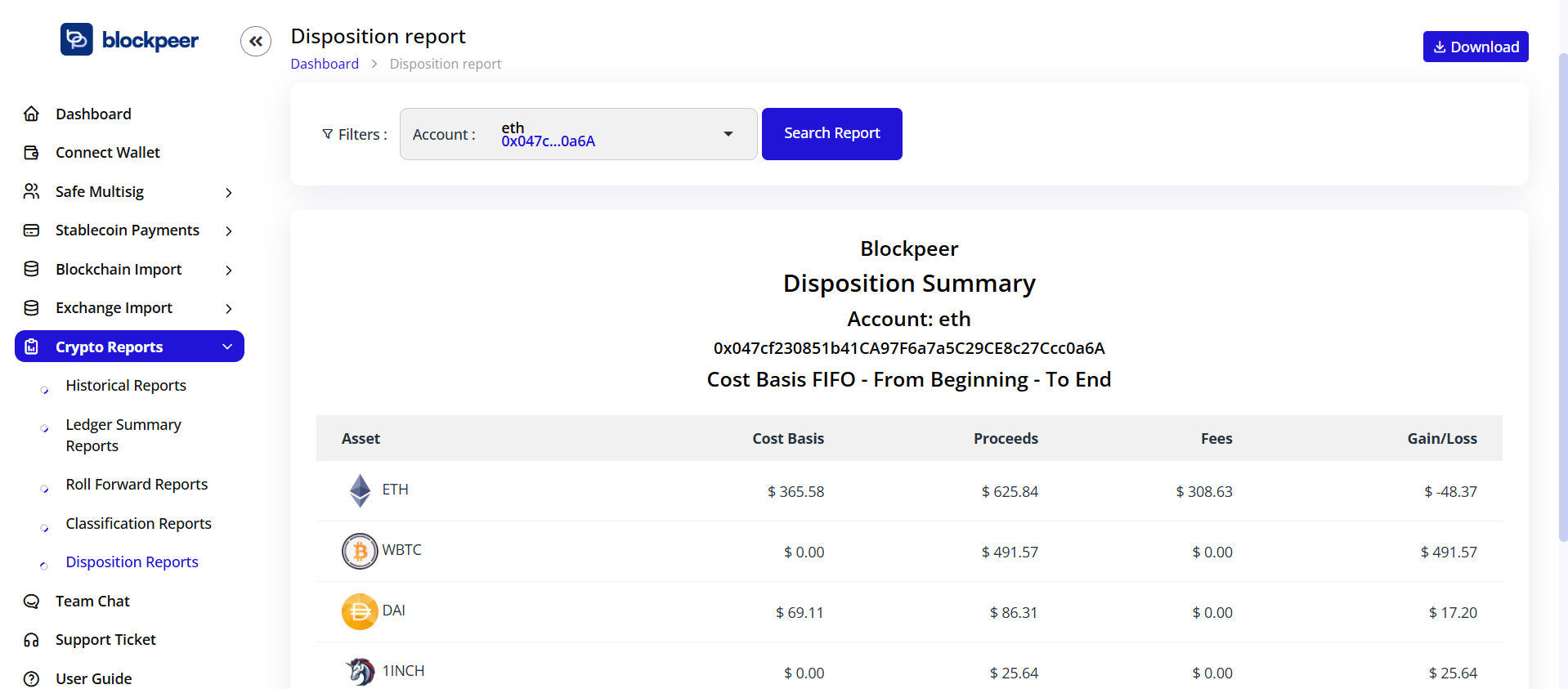
Overview
Track cost basis and capital gains/losses for disposed assets.
Report Features
Similar structure to other reports with focus on:
- Acquisition cost
- Disposal proceeds
- Realized gains/losses
- Holding period
- Tax lot identification
Applications
- Tax reporting (Form 8949)
- Capital gains calculation
- Investment performance analysis
- Compliance documentation