Verify & Endorse
The Verify & Endorse feature allows you to verify the authenticity of TradeTrust documents and endorse electronic Bills of Lading for transfer.
1. Overview
The Verify & Endorse module enables you to:
- Verify electronic documents issued on TradeTrust
- Validate document authenticity and integrity
- Endorse eBLs for transfer to new holders
- Check blockchain records and issuer information
- Ensure MLETR compliance
2. Access Verify & Endorse
Navigate to Verify & Endorse
- Click on Verify & Endorse from the left sidebar
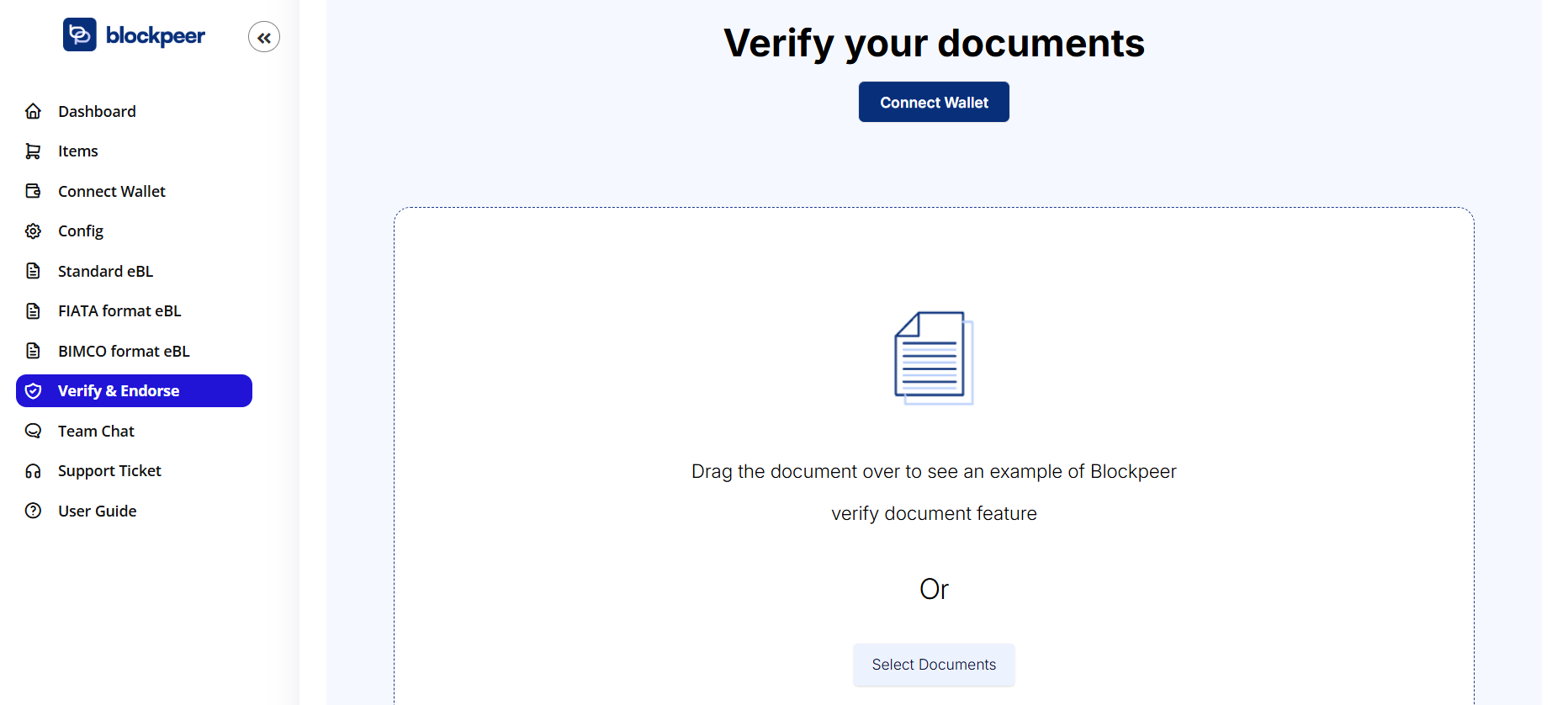
- You'll see the document verification interface
3. Verify Documents
Step 1: Connect Wallet
Before verifying documents, ensure your wallet is connected:
- Click Connect Wallet button at the top
- Select your wallet provider
- Approve the connection
Step 2: Upload or Drag Document
You can verify a TradeTrust document in two ways:
Option 1: Drag and Drop
- Drag the TradeTrust document file from your computer
- Drop it into the designated area
- The document will be automatically uploaded and verified
Option 2: Click to Browse
- Click anywhere in the verification area
- Browse and select the TradeTrust document file
- Click Open to upload
💡 Tip: "Drag the document over to see an example of Blockpeer verify document feature"
Step 3: Document Verification Process
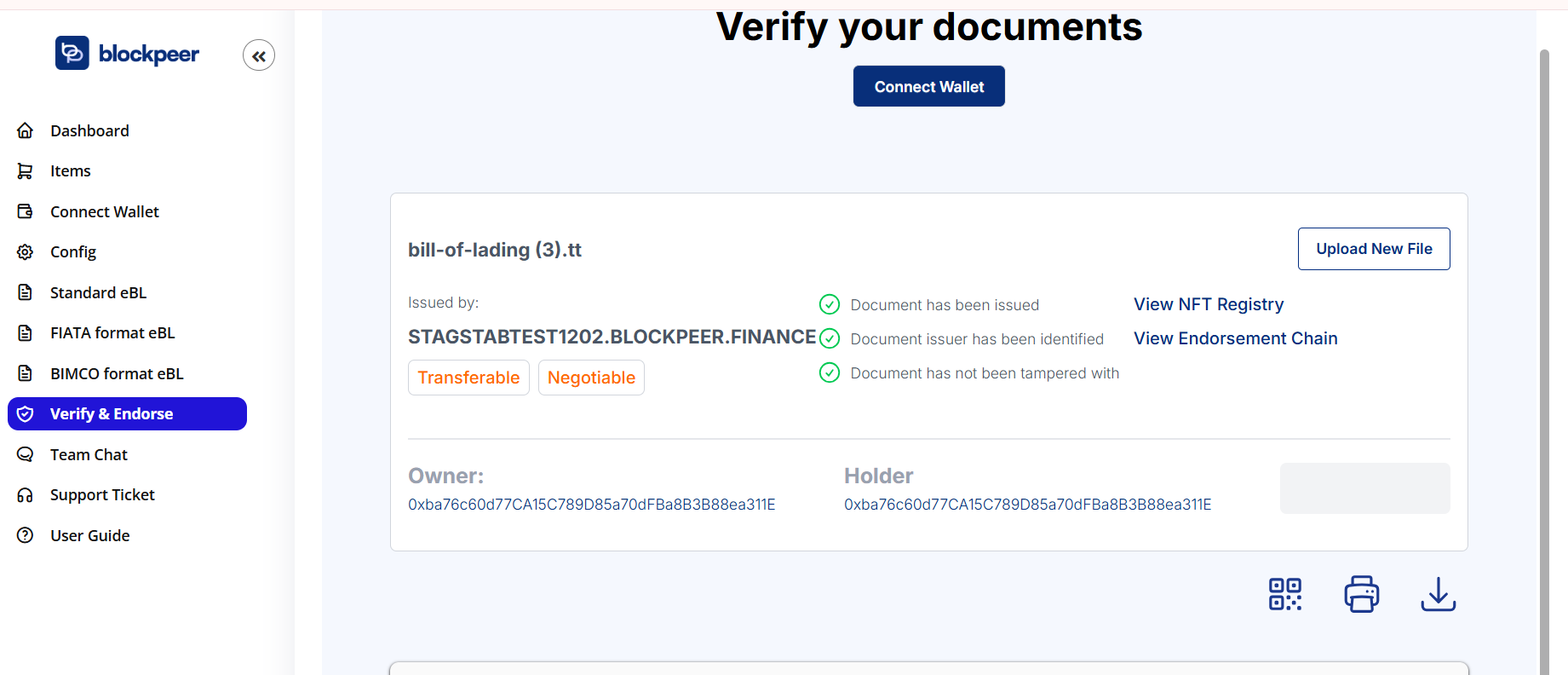
Once uploaded, the system automatically verifies:
✅ Document Integrity
- Checks if document has been tampered with
- Validates cryptographic hashes
- Ensures no modifications since issuance
✅ Issuer Identity
- Verifies the document issuer
- Checks DNS records
- Validates token registry
✅ Blockchain Record
- Confirms document is recorded on blockchain
- Verifies transaction details
- Checks smart contract state
✅ Document Status
- Shows current ownership
- Displays transfer history
- Indicates if document is active or surrendered
Step 4: View Verification Results
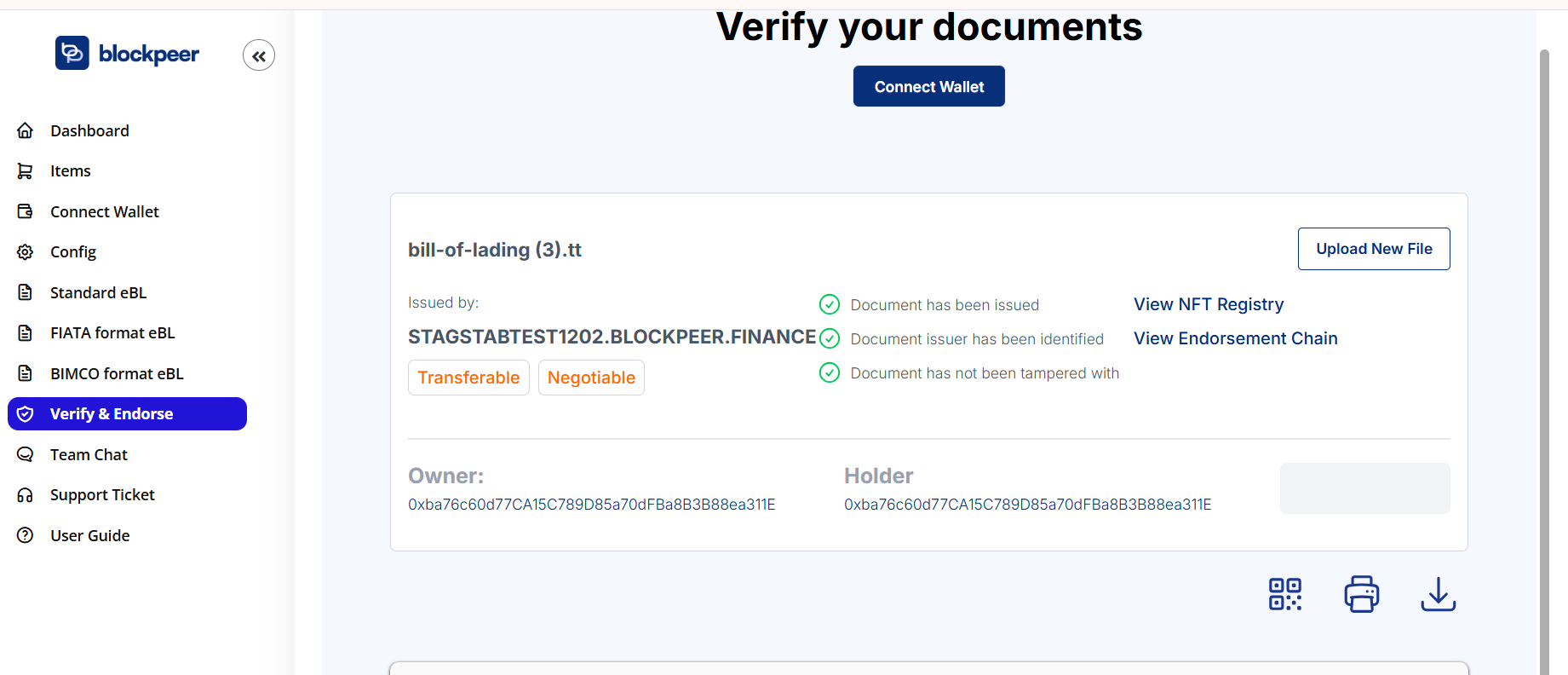
After verification, you'll see:
- ✅ Verification Status: Pass or Fail indicators
- Issuer Information: Company name and details
- Token Registry: Smart contract address
- Document Details: B/L number, dates, parties
- Blockchain Network: Chain where document is recorded
- Current Holder: Wallet address of current owner
4. Endorse Documents
Endorsing an eBL transfers ownership from the current holder to a new beneficiary.
Prerequisites for Endorsement
Before you can endorse:
- ✅ You must be the current holder (owner) of the eBL
- ✅ Your wallet must be connected
- ✅ The eBL must be in "active" status (not surrendered)
- ✅ You must have sufficient gas fees for the transaction
Step 1: Initiate Endorsement
- After verifying a document that you own, click Endorse button
- The endorsement form will appear
Step 2: Enter Beneficiary Details
New Holder Address
- Enter the wallet address of the new holder
- Double-check the address (transactions cannot be reversed)
- The new holder will gain ownership of the eBL
Endorsement Type
Select the endorsement method:
- Transfer: Transfer ownership to new holder
- Transfer to Nominee: Transfer to a nominee on behalf of holder
Step 3: Confirm Endorsement
- Review the endorsement details:
- Current holder address
- New holder address
- B/L details
- Click Endorse button
- Confirm the transaction in your wallet
- Pay the gas fee
- Wait for blockchain confirmation (1-2 minutes)
Step 4: Endorsement Complete
Once the transaction is confirmed:
- ✅ Ownership is transferred on blockchain
- ✅ New holder can now manage the eBL
- ✅ Transfer is recorded in the audit trail
- ✅ Previous holder no longer has control
5. Document Types Supported
The Verify & Endorse feature supports all TradeTrust documents:
✅ Electronic Bills of Lading (eBL)
- Standard eBL
- FIATA FBL
- BIMCO BL
✅ Other Trade Documents
- Electronic Promissory Notes (ePN)
- Electronic Bill of Exchange (eBoE)
- Electronic Invoices
- Certificates of Origin
- Packing Lists
6. Verification Errors
Common Verification Issues
❌ Document Tampered
- Cause: Document has been modified after issuance
- Solution: Obtain original document from issuer
❌ Invalid Issuer
- Cause: Issuer's DNS records not configured properly
- Solution: Contact issuer to fix DNS configuration
❌ Not on Blockchain
- Cause: Document not properly recorded on blockchain
- Solution: Contact issuer to re-issue document
❌ Document Surrendered
- Cause: eBL has been surrendered (no longer transferable)
- Solution: Cannot endorse surrendered documents
7. Endorsement Chain
View Transfer History
For any eBL, you can view its complete endorsement chain:
- Verify the document
- Click on Transfer History or Audit Trail
- See all previous holders and transfers
- View timestamps and transaction hashes
This provides:
- Complete transparency
- Proof of ownership history
- Audit trail for compliance
- Chain of custody verification
8. Security Best Practices
When Verifying Documents
✅ Always verify documents before accepting them
✅ Check issuer identity carefully
✅ Verify blockchain network is correct
✅ Ensure document status is "active"
When Endorsing Documents
⚠️ Double-check beneficiary wallet address
⚠️ Verify you have enough gas fees
⚠️ Understand endorsement is irreversible
⚠️ Keep transaction hash for records
9. Troubleshooting
Cannot Verify Document
Problem: Document fails to verify
Solutions:
- Check file format is correct (.tt, .json)
- Ensure file is not corrupted
- Try re-downloading from issuer
- Check your internet connection
Cannot Endorse Document
Problem: Endorse button is disabled or fails
Solutions:
- Verify you are the current holder
- Ensure wallet is connected
- Check document is not surrendered
- Verify you have sufficient gas fees
- Try switching to correct network